Incremental import and export is key to handling large data volumes, allowing users to retrieve only the fraction of data they need rather than the entire project.
- Go to the Settings view | Advanced features
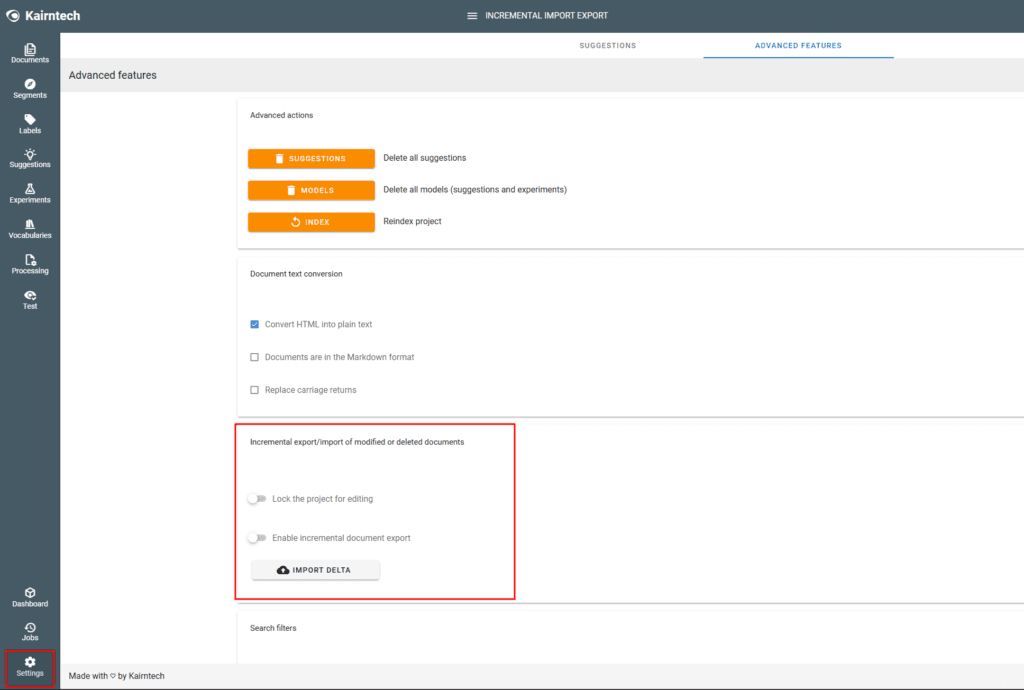
- Select Enable incremental document export

- Add new documents, delete documents, add metadata, annotations or categories in your project…
- Then go back to the Settings view and you will see the number of modified, deleted documents…

- If you want to export the delta file, lock the project for editing
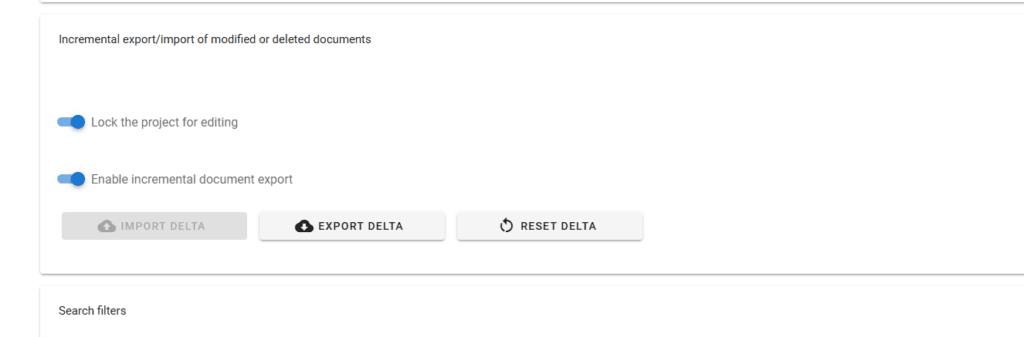
- Click on Export delta and download the file (.sia extension)
- You can re-import the file in another project

- Use Reset Delta to reinitialize the tracker and unlock the project to continue.